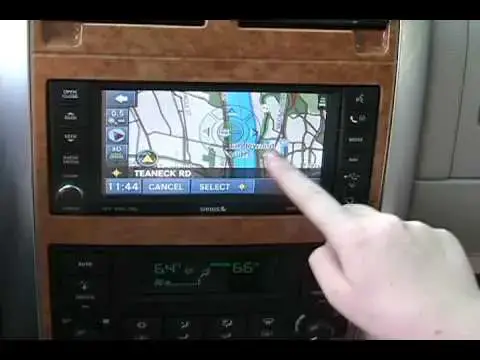
0:00
and we're going to turn
0:05
AM FM satellite and in the back we have
0:11
TV and you when you press menu you get
0:17
um you get different controls
0:22
say you want it you want most of the
0:26
sound to be in the back right just touch
0:30
it like that but what if you want to be
0:32
in the center you put it back in the
0:35
center or if you really want to be
0:38
clever you can press the center
0:41
button thank you David you're welcome
0:45
let's take a look at what else you can
0:47
do gu and down here we have the hybrid
0:51
info it shows you now what's interesting
0:54
about that also is that unlike systems
0:56
in other in some other hybrids we could
0:58
mention like the Prius
1:00
every time that you start up the car if
1:02
you want to look at it you actually have
1:04
to press menu and in hybrid info it
1:06
doesn't come on automatically if you had
1:08
it on before and now we're going to go
1:12
files I don't have anything as you can
1:16
see nothing but uh yes you do oh well
1:21
this is stuff that other people left on
1:27
music see you would press radio a media
1:32
drive and then you get this stuff
1:36
right and how about getting the CD into
1:45
screen reveals the CD player and you can
1:49
also move this little tab here and you
1:53
get a USB port right a USB port so iPod
1:57
or an iPod or any other similar machine
2:00
there's also the auxiliary Jack which
2:02
does the same thing basically only it
2:04
doesn't import from the auxiliary
2:13
reports and it'll tell you what the
2:17
traic is like let's say Grand Central
2:25
east and you have a little map
2:35
roof this cool Gadget I hav't seen in
2:53
views these and we're not going to look
2:57
intersection within Michigan
3:00
well we're not in Michigan right
3:03
now um then Michigan Michigan USA
3:11
okay see we want Main Street
3:51
have make a uturn is possible